
An association with a contractor allows you to:
- Apply for a permit on behalf of the associated contractor.
- Schedule a permit inspection through the Build Henrico customer portal on behalf of the associated contractor.
What you need before you begin:
- Build Henrico Account
- Contractor PIN
To do a Contractor association:
- Log in to your Build Henrico Account.
- Click on “Profile” on the header bar.
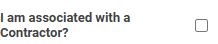
- Select the checkbox next to “I am associated with a Contractor?”
- Click Associate to Existing Contractor.
- If you are a registered contractor in the system, enter your Contractor PIN. You can get the PIN from another user associated with the same contractor, or by calling the appropriate Henrico department that handles your type of job.
- If you need to register as a new contractor, “Click Register as a New Contractor.”
- Enter your business name. It is recommended to also fill in your phone number, email address, and a mailing address.
- Click “+ Contractor License.”
- Enter the contractor License Holder, License Type, License Number, and Expiration Date.
- Click “Save.” Verify your information.
- Click “Save” to go back to your profile or “Save and Return” to go to the home page.
To Modify your Contractor Information:
- Log in to your Build Henrico Account. Click on “Profile” on the header bar.
- Click on your “My Contractor” entry.
- On the Details tab, modify any information needed.
- Retrieve your PIN.
- If you would like a New PIN for security reasons, click “New PIN.”
- Save.
To Manage Users Associated With Your Account:
On the “Associated Accounts” tab you can manage all users connected to your contractor account. The Manager role can add or remove associated accounts from the linked contractor.
Make any changes needed. Save.