
If an individual beside the Applicant would like to pay a fee, the individual must have an account on Build Henrico. Once logged into Build Henrico, select Pay in the main menu at the top of the home screen.
Select Pay Other Fees.
Enter in Job Number that must be provided by the Applicant who is submitting the Job. The entire Job Number must be entered for the field to populate/work correctly. Once entered, select Find.

Enter in Job Number that must be provided by the Applicant who is submitting the Job. The entire Job Number must be entered for the field to populate/work correctly. Once entered, select Find.

Confirm the listed Job is the correct application for which you would like to make the payment. If the Job is correct, select Pay.
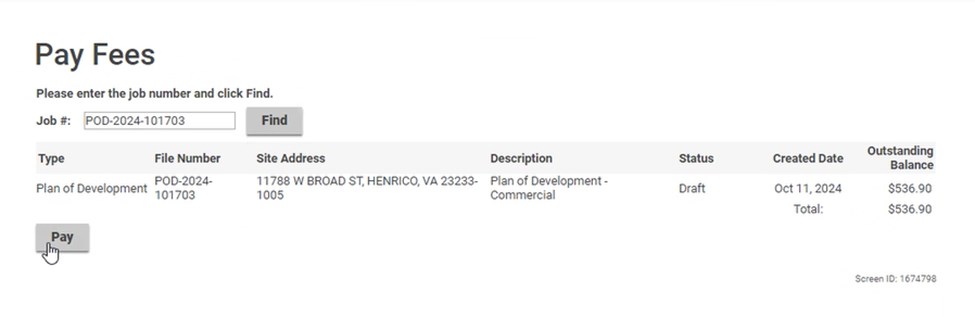
If the Job is not correct, confirm the Job Number with the applicant and utilize the Job # search field again.
Once Pay is selected, you will be directed to the Paymentus website to make the necessary payment.
IMPORTANT:
Once the payment is made, you (as the payor) must notify the applicant that the payment has been successful. The applicant must log back into Build Henrico to finish submitting the application, as the payment does not complete the application process.